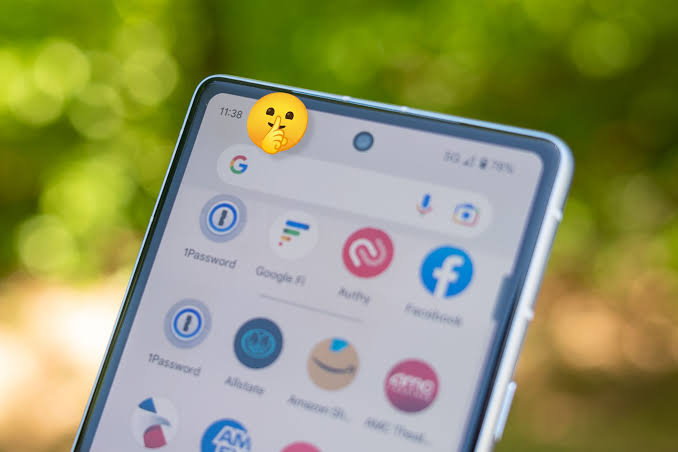
The Android Notification Trap: Why Those Tiny Status Bar Icons Keep Your Brain on Edge
The Tyranny of the Status Bar: Understanding Notification Dread Syndrome and Your Cortisol Response to Android Icons
The phone buzzes on your desk. A sharp, red dot appears in the corner of an app icon on your screen. Your chest tightens. You do not even look at the phone yet, but your heart rate climbs. This feeling is not just a personality quirk or a lack of patience. It is a biological event. You are experiencing Notification Dread Syndrome (NDS).
This is a very real response to the constant barrage of digital alerts. We call it NDS because it creates a distinct, recognizable spike in stress. While the term is new, the feelings are familiar to millions of Android users. This article examines why your status bar acts like a digital tyrant, how it manipulates your brain chemistry, and what you can do to stop the cycle.
Defining Notification Dread Syndrome (NDS) in the Modern Mobile Ecosystem
The Pavlovian Loop: Conditioned Responses to Digital Cues
In the early 1900s, Ivan Pavlov proved that dogs could be trained to expect food when a bell rang. He rang the bell, then fed the dogs. Eventually, the sound of the bell alone made them salivate. Your Android device does the exact same thing to you.
The app icon is your bell. The persistent red dot is the signal. When you see that dot, your brain does not just see a color. It anticipates an obligation. It expects a demand for your time, a social emergency, or a work task. You have been conditioned to react to the visual cue before you even know what the message says.
This creates a loop of anticipation. You are not checking your phone because you want to; you are checking it because the “bell” rang and you are programmed to answer. This is the same logic used in slot machines. You do not know if the notification will be a fun update or a stressful email. That uncertainty keeps you checking, hoping for a reward, but often just finding more stress.
Cortisol, Dopamine, and the Fight-or-Flight Response
When you notice a new alert, your body releases cortisol. This is the primary stress hormone. It primes your body for action, or in this case, for a “fight” with your inbox. The Android interface is designed to catch your eye, and your body treats that visual alert as a potential threat.
When you tap the icon and open the app, you get a small hit of dopamine. This is the “reward” for clearing the notification. But this system is flawed. The stress caused by the notification is often greater than the relief found by clearing it. You spend your day in a cycle: cortisol spike upon seeing the badge, brief dopamine dip upon opening the app, followed by a return to baseline stress. Over an entire day, this cycle exhausts your mental energy. You are running a marathon of small, internal stress events that never stop.
Distinguishing NDS from General Digital Overload
Many people talk about “information overload.” That usually means having too much to read or too many emails to answer. Notification Dread Syndrome is different. NDS is about the anticipation of the alert.
You might have a completely empty inbox, but if the icon shows a number, you feel the dread. It is the visual presence of the badge that triggers the reaction. You are not overwhelmed by the content yet; you are overwhelmed by the symbol of the content. This distinction is important because the solution is not just to read more emails. The solution is to change how you see the notifications.
Android’s Design Architecture: Architects of Anxiety
The Ubiquity of the Persistent Badge: System-Level Enforcement
Android’s design philosophy often centers on giving you all the information at once. The status bar is a shelf for your notifications. It is supposed to be helpful. However, the system-level defaults often work against your peace of mind.
Many apps are built to enforce their own persistent badges. They do not want you to ignore them. Even when you clear an alert, some apps will keep a “count” badge on the icon to show you missed something. This design choice removes your agency. It forces the app to remain a priority on your screen, even when it is not a priority in your life. The system treats every notification as if it requires an immediate, eyes-on response.
Color Theory and Visual Salience: Why Red Dominates Dread
Color psychologists know that red is the most attention-grabbing color for the human eye. In nature, red signals danger, blood, or ripe fruit. It is impossible to ignore. Android developers use red for notification badges for a reason: it works.
Your brain is wired to pay attention to red items in your peripheral vision. When you look at your phone to check the time, a red badge pulls your focus away from your intent. You might intend to check your calendar, but the red dot on your email app demands you look at it instead. This is not a failure of your willpower; it is a battle against millions of years of human evolution. The interface uses your biology against you.
The Role of Context Switching and Attentional Residue
Every time you glance at the status bar and see an icon, your brain switches tasks. You were thinking about your coffee, or a report, or your plans for the weekend. Then, the notification pulls you to think about a potential message.
This is called “context switching.” It is expensive for your brain. Even after you ignore the notification and return to your original thought, a part of your brain is still stuck on the alert. This is “attentional residue.” It is the mental debris left over from the last task. By leaving notifications visible, Android makes it impossible to clear that residue. You are constantly carrying the weight of unfinished digital tasks in the back of your mind.
Real-World Manifestations: Case Studies in Status Bar Stress
Professional Life: The Always-On Expectation
Work life in the modern era is often defined by the “always-on” rule. When your work email app sits on your home screen with a red badge, your work is always with you. Even if you are not at your desk, the phone tells you that work is happening.
This changes your behavior. You start to check your phone during dinner or while watching a movie. You fear missing a critical update. This constant monitoring reduces your capacity for deep work. You cannot focus on complex tasks if your brain is waiting for the next status bar icon to change. The stress of the “always-on” expectation leads to burnout and a feeling that you are never actually off the clock.
Social Anxiety and the Fear of Missing Out (FOMO) on the Status Bar
Social media and chat apps thrive on the status bar. The unread count becomes a score. If you see a notification from a messaging app, your brain automatically assumes it is a social demand.
You feel a subtle, social pressure to respond quickly. If you do not clear the notification, you feel like you are ignoring someone. The icon acts as a proxy for social standing. “If I have five unread messages, I am important.” But it also brings anxiety. “What did they say? Are they mad at me? Did I miss a party invite?” The status bar creates a sense of social obligation that is not rooted in reality, but in the visual countdown of unread messages.
The Hidden Cost: Sleep Disruption and Pre-Sleep Scrutiny
The worst time to face a screen full of notifications is right before bed. Yet, many people do a final check. They want to “clear the slate.” They want to go to sleep knowing there are no pending tasks.
This is a losing battle. Checking the phone brings the blue light, which disrupts sleep. More importantly, it brings the “cortisol spike” right when you are trying to wind down. Your brain goes from a state of rest to a state of alertness. You are now thinking about that email you need to send or that message you need to reply to. You wake up the next morning feeling tired, only to pick up the phone and repeat the cycle immediately.
Taking Back Control: Actionable Strategies to Mute the Dread
Leveraging Native Android Tools for Notification Filtering
You do not have to accept the default settings. Android has powerful tools to help you take back control, but they are often hidden in the menu.
- Go to Settings: Open your phone’s settings and look for “Notifications.”
- App Settings: Find the list of apps. For every app that causes you stress (like email, work chat, or social media), tap on it.
- Turn off Badges: Look for “Notification dots” or “Badges” and toggle them off. This removes the red dot. The notification will still appear in the tray when you swipe down, but it will not stare at you from the home screen.
- Silent Notifications: Change the setting to “Silent” or “No sound/vibration.” This ensures you are not interrupted by the phone. You will only see the message when you choose to look for it.
Implementing Digital Detox Boundaries: Beyond Temporary Disconnection
Boundaries are the only way to stop the dread. You need to treat your phone like a tool, not a boss.
- Batching: Do not check notifications every time you feel a buzz. Check them at set times. Maybe you check at 10:00 AM, 1:00 PM, and 4:00 PM. Outside of those times, the phone stays in a drawer or in your bag.
- Do Not Disturb Mode: Use this religiously. Set a schedule so your phone automatically turns off all alerts after a certain time, like 8:00 PM. This stops the evening cortisol spikes and helps you get better sleep.
- The “No-Phone” Zone: Keep the phone out of the bedroom. Use a dedicated alarm clock. If the phone isn’t there, you cannot check the notifications.
Reclaiming Your Home Screen: Icon Minimalism and Dynamic Adjustments
Your home screen is your digital living room. It should be clean and calm, not a board of blinking lights.
- Clean the Home Screen: Move every app that causes stress off your main screen. Put them in a folder on the second page. This adds a layer of friction. You have to intentionally look for them.
- Use Grayscale Mode: Android allows you to turn the screen black and white. This is a game-changer. Without the red dots and vibrant colors, the icons are much less attractive to your eyes. It makes the phone a boring tool, which is exactly what it should be.
- Minimalist Launcher: Consider using a third-party launcher that hides app icons or turns them into text. If you don’t see the colorful, stress-inducing logos, you won’t feel the same Pavlovian response.
Conclusion: From Reactive Stress to Intentional Engagement
Notification Dread Syndrome is a real problem, but it is not a permanent one. You are the owner of your device. You bought it, you pay for the plan, and you have the right to decide how it treats you. The current mobile design landscape is built to capture your focus, but you can build a defense against it.
By removing the red badges, setting boundaries for when you check messages, and moving stressful apps out of your sight, you can reset your brain. You can move from being a reactive user who jumps at every buzz to an intentional user who decides when to engage.
It is time to stop letting the status bar dictate your cortisol levels. Your peace of mind is worth more than a quick response to a notification. Take the control back today.
Key Takeaways
- NDS is a Biological Response: Your stress is caused by conditioning. You are trained to view red icons as urgent threats.
- The Problem is the Visual Cue: It is not the messages themselves that cause the stress, but the persistent visual reminders (badges) that trigger anticipation.
- Remove the Triggers: Use Android settings to turn off notification dots for all non-essential apps. If you can’t see the dot, you won’t feel the dread.
- Create Boundaries: Do not check your phone for work or social updates during your personal time. Use scheduled “Do Not Disturb” modes to protect your peace.
- Shift to Intentional Use: Don’t let the phone dictate your day. Only check notifications on your own schedule, not when the phone rings or buzzes.