
The Complete Guide to Adobe Acrobat Reader: Understanding the Risks of a Pro Unlocked Free APK
Every day, you likely interact with a PDF file. You might view a digital receipt, read a professional contract, or open an e-book on your phone. Adobe invented the PDF format, and Adobe Acrobat Reader is the most common tool used to open these files. It is a reliable base tool. However, the free version only handles the basics. Many people find themselves frustrated by the limits of the free app and the high cost of the monthly subscription. This tension leads many users to search for an Adobe Acrobat Reader Pro Unlocked Free APK to bypass these costs and gain access to premium features without a fee.
Understanding Adobe Acrobat Reader DC – The Official Standard
Adobe Acrobat Reader DC is the free tool provided by Adobe for viewing, printing, and commenting on PDFs. It is the baseline software for the industry. Millions of people use it because it works well across Windows, macOS, and mobile platforms.
The Core Functions of Free Acrobat Reader DC
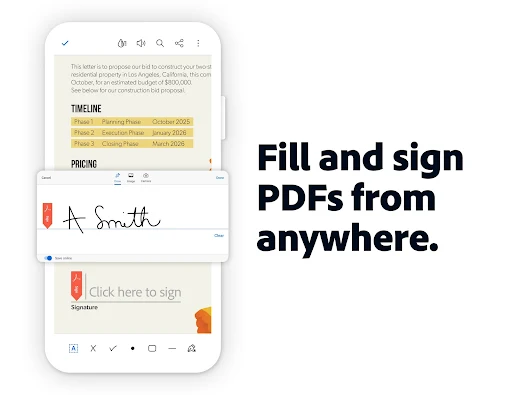
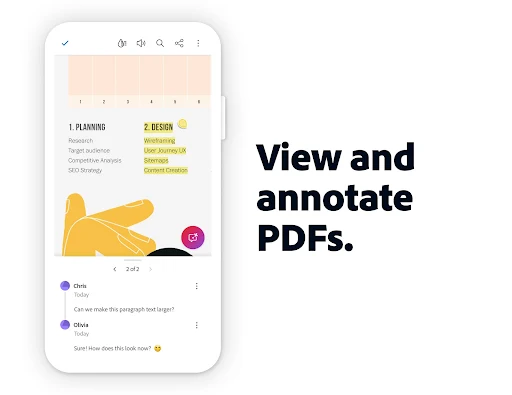
The free version gives you exactly what you need for basic document tasks. You can open any PDF, scroll through pages, and zoom in to read small text. Printing is simple and works with any connected printer. You can also add comments, highlight text, and fill in basic forms that others have created. The software is stable and reliable. It gets frequent updates from Adobe, which keeps the app running on modern operating systems without crashing.
The Limitations: Why Users Seek Alternatives
While the free version is fine for reading, it fails when you need to change the content. You cannot edit existing text or replace images within a PDF using the free app. You also cannot combine multiple PDFs into one file or export PDFs into other formats like Word or Excel. For students, office workers, or freelancers, these gaps are frustrating. If you need to fix a typo in a contract or merge five different invoices, the free version stops you in your tracks. This creates a bottleneck that slows down your work.
Security and Trust: The Value Proposition of Official Software
Using the official software from Adobe provides a layer of safety that third-party apps cannot match. Adobe builds its apps with strict security protocols. They patch vulnerabilities regularly to protect your device and your documents from hackers. When you use the official reader, you know your data is not being leaked or stolen by the software itself. Adobe follows global privacy standards like GDPR, which ensures that your personal information stays private.
Deconstructing Adobe Acrobat Pro – Features Worth Paying For
If you do high-volume work with PDFs, the Pro version is designed for you. It turns a static document into an interactive file. The subscription cost covers the development of these advanced tools and the infrastructure required to host them.
Advanced Editing and Manipulation Capabilities
Acrobat Pro allows you to edit text directly on the page, just like you would in a word processor. You can move images, resize elements, and change fonts. This is helpful for updating brochures or fixing errors in final reports. You can also organize your documents by adding, deleting, or rotating pages with a few clicks. The batch processing feature lets you apply changes to dozens of files at once, which saves hours of manual work.
Workflow Automation: Forms, Signatures, and Compliance
The Pro version shines in business workflows. You can build complex, fillable forms with checkboxes and drop-down menus. It supports advanced digital signatures that meet legal requirements for contracts and agreements. These signatures confirm the identity of the signer and ensure the document has not been altered. You can also set password protection and permission restrictions on your files to keep sensitive information safe.
Comparison Matrix: Free vs. Pro
| Feature | Free Reader | Acrobat Pro |
|---|---|---|
| View and Print | Yes | Yes |
| Annotate and Comment | Yes | Yes |
| Fill and Sign Forms | Basic | Advanced |
| Edit Text and Images | No | Yes |
| Create and Combine PDFs | No | Yes |
| Export to Word/Excel | No | Yes |
| Advanced Security | No | Yes |
For casual users, the free version is enough. For professionals who manage hundreds of documents or work in legal and publishing fields, the Pro version offers tools that pay for themselves by saving time.
The Phenomenon of the Adobe Acrobat Reader Pro Unlocked Free APK
The search for free software is common. When people find a paywall, they look for a workaround. This is where the term “APK” comes in for Android users.
Defining the ‘Unlocked APK’ Landscape
An APK, or Android Package Kit, is the file format used to install apps on Android devices. An “unlocked” or “cracked” APK is a modified version of an app. The original code has been changed to remove the license check. This tricks the app into thinking that you have paid for a subscription, even if you have not. These files are not hosted by the Google Play Store. You have to find them on third-party websites that specialize in hosting modified software.
The Appeal: Cost Savings and Immediate Access
The main reason people download these files is money. Adobe’s monthly subscription fee can feel expensive for someone who only needs Pro features once in a while. Searching for a way to get those features for free is a quick reaction to the high cost. People see search results for a free pro version and believe they have found a shortcut. The promise of immediate access to tools like text editing without a recurring bill is a strong draw.
Technical Mechanics: How These Modifications Function
When you install a standard app, it checks with a central server to see if your account is active. The developers of cracked APKs rewrite the code to disable this check. They might delete the lines of code that look for a license key or replace the verification function with one that always returns a “success” message. This allows the app to open premium features. However, these changes are not official. They are fragile hacks that can break when Adobe pushes an update.
Risks of the Adobe Acrobat Reader Pro Unlocked Free APK
Using a modified APK is rarely a good idea. The “free” aspect often comes with a hidden price that is much higher than the monthly subscription fee.
Security Vulnerabilities and Malware Infection
When you download a file from an unknown website, you do not know who modified it. Many of these files contain hidden malware. The creators often bundle the app with spyware or a keylogger. Once you install the APK, this malicious code runs in the background. It can track what you type, record your passwords, and steal data from your phone. Even if you scan the file, many antivirus programs struggle to detect new or custom malware. By bypassing the official store, you lose the safety checks that Google provides.
Data Privacy and Confidentiality Breaches
Your phone contains sensitive information. When you grant permissions to a cracked app, you might be giving the attacker access to your contacts, photos, and camera. If you open business documents with a modified reader, that data could be sent to a server owned by the person who cracked the app. This is a massive risk for lawyers, doctors, or business owners. You are essentially letting an unknown third party look into your private files.
Legal Ramifications and Software Integrity
Using cracked software is a form of copyright infringement. You are violating the terms of service that you agreed to when using the Adobe product. While it is rare for an individual to face a lawsuit for personal use, you are still breaking the rules. Furthermore, you will never get official support. If your app crashes or corrupts your document, you have nowhere to turn. You cannot update the app either, as an update would likely revert the changes and lock you out of the premium features again.
Safe and Effective Alternatives to Cracked Software
You do not have to choose between a high subscription fee and risky cracked software. There are other ways to manage your documents.
Exploring Legitimate Free and Low-Cost PDF Tools
Many developers offer free PDF tools that are safe and legal. Apps like Foxit Reader or PDFsam Basic can handle many tasks that the free Adobe reader cannot. Foxit offers a strong feature set for viewing and basic editing. PDFsam is excellent for merging, splitting, and rotating PDF pages. These tools are often open-source or free to use for personal tasks. They do not contain hidden malware because they rely on their reputation to keep users.
Maximizing the Free Adobe Ecosystem
You can often get Pro-like results by using free tools together. If you need to convert a PDF to Word, you can use online converters that are trusted and secure. If you only need to sign a document, you can use the free Adobe fill-and-sign feature. By using a combination of a reliable free reader and small online utilities, you can handle 90% of your PDF needs without paying for a subscription or risking your phone’s safety.
Evaluating the True Cost of ‘Free’
When you consider the cost, look at the full picture. A subscription fee is a known, predictable cost. The “cost” of a cracked APK includes the risk of data theft, the time spent fixing your phone after a malware infection, and the stress of worrying about privacy. If you lose access to your personal photos or your bank accounts are compromised, the price is far higher than a monthly fee. Choose safety and long-term stability over a quick, temporary fix.
Conclusion
Managing your documents should not be a source of stress. While the Adobe Acrobat Reader Pro Unlocked Free APK may look like an easy way to save money, the risks are too high. You open your device and your personal data to malicious actors who are not interested in your privacy. The official Adobe software is built to be secure and stable. If you need advanced features, look into legitimate alternatives or pay for the service that provides the tools you need. By choosing official software, you protect your data, your device, and your peace of mind. Stick to official sources and avoid the dangerous temptation of cracked software.