Modern mobile advertising has shifted. It is no longer just about banner ads that clutter your screen. Today’s ads are sophisticated trackers that follow your activity across different apps and websites. These trackers collect your personal data to build a profile of your behavior, which advertisers then sell. Basic ad blockers often fail because they rely on simple filter lists that modern ad networks easily bypass. If you want real control over your device, you need a different approach. This is where the AdGuard Premium APK for Android enters the picture. It offers a total filtering solution that works on a system-wide level, stripping away intrusive trackers and annoying ads before they ever touch your mobile data.
Understanding AdGuard Premium APK – Beyond Basic Blocking
What Exactly is the Premium APK Version?
The standard version of AdGuard you find on the official app store is limited by strict developer policies. These policies prevent the app from blocking ads inside other apps or across the entire system. When you use the AdGuard Premium APK for Android, you break past these restrictions.
The Premium APK provides full control. It does not just block ads in your web browser; it filters traffic for every app on your phone. This means the game you play, the news app you read, and the weather widget on your home screen are all scrubbed clean of third-party tracking scripts. The APK version allows for deep customization, including the ability to run your own custom filter lists, manage HTTPS filtering, and handle complicated network rules that the store version simply cannot touch.
Core Technology: How AdGuard Masters System-Level Filtering in 2026
AdGuard works by creating a local VPN tunnel on your device. It does not send your data to a remote server. Instead, it routes your internet traffic through a local filtering engine directly on your phone. Because this process happens locally, it can analyze every packet of data coming into your device.
By 2026, many ad networks use encrypted connections to bypass standard blocking. AdGuard handles this using HTTPS filtering. It installs a local security certificate that lets it decrypt, inspect, and re-encrypt traffic. This allows it to remove ad scripts embedded within secure traffic that other blockers cannot see. Combined with DNS filtering, which stops ad requests at the domain name server level, this double-layered approach effectively stops most tracking attempts.
Security and Privacy Enhancements in the Latest Build
Privacy is the primary benefit of the Premium APK. Modern trackers are aggressive. They log what you click, how long you stay on a page, and even your approximate location. AdGuard acts as a firewall for your mobile habits.
The 2026 build includes protection against phishing sites and malicious domains. If you accidentally tap a link that leads to a scam or a site designed to steal your credentials, AdGuard intercepts the request. It displays a warning before the page loads. This proactive security layer is vital in an era where mobile phishing attacks are more common than desktop ones. The app also keeps a detailed log of every blocked request, so you can see exactly which services were trying to call home with your data.
Unprecedented Performance and Customization Features
Maximizing Speed: Ad Loading Reduction and Battery Life Optimization
A common myth is that ad blockers slow down your phone. The truth is quite the opposite. Most of the data your phone downloads when you open an app is not content you want; it is advertising and tracking code. These background requests consume CPU cycles and drain your battery.
By blocking these requests, your device works less. You save mobile data, and you save battery life. Pages load faster because your phone does not waste time downloading heavy, useless ad assets. To get the best performance, head to the settings menu in your AdGuard Premium APK and ensure you are only using the filter lists you actually need. Enabling too many lists can create a slight delay, so pick the ones that match your region and language.
Advanced Filtering Rule Management (The Power User’s Toolkit)
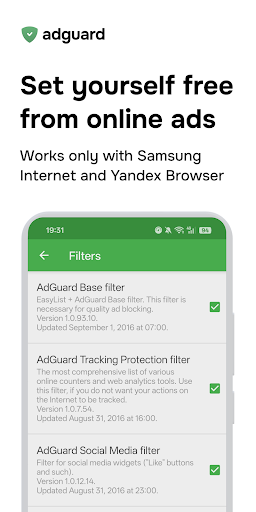
If you are a power user, the filtering rule management is the heart of the app. AdGuard supports the standard Adblock syntax, meaning you can import almost any filtering list from the internet. You can find community-maintained lists that target specific annoyance categories, such as cookie banners, social media widgets, or even specific types of pop-ups.
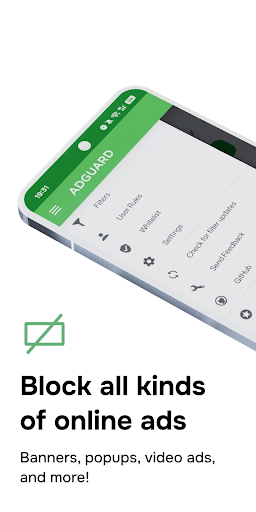
Beyond importing lists, you can write your own rules. This is helpful if you find an app that is particularly stubborn. You can specify a domain and add a blocking rule for it specifically. The user interface makes it easy to add these rules without needing to understand complex coding. You simply add the domain to your “User Rules” section, and the app takes care of the rest.
Integrated DNS Control: The First Line of Defense
DNS stands for Domain Name System. It is the phonebook of the internet. When you type a website name, your phone asks a DNS server for the IP address. In 2026, most carriers and ISPs track these requests. AdGuard gives you the option to change your DNS provider and encrypt your traffic using DNS-over-HTTPS (DoH) or DNS-over-TLS (DoT).
By using a private, ad-blocking DNS server, you add a layer of protection that works before traffic even hits your local filtering engine. This is an efficient way to block ads globally. You can choose from popular providers that focus on privacy and security. The app integrates this seamlessly. You can switch between different servers with one tap to test which provides the fastest response time in your current area.
Navigating Installation and Maintaining the 2026 Premium APK
Step-by-Step Installation Guide for Android (2026 Context)
Installing an APK file requires a bit more care than using the official store. Since you are installing software from outside the Google Play ecosystem, your phone will ask for permission.
- Download the latest version of the AdGuard Premium APK file from their official website. Always avoid third-party sites that claim to host the file, as they may contain malware.
- Open your device Settings and look for “Install unknown apps.”
- Grant permission to your browser or file manager to install applications.
- Open the downloaded APK file and follow the prompt to install.
- Once installed, open AdGuard and accept the necessary permissions, such as the VPN connection request.
Remember, you must check the “Battery Optimization” settings for AdGuard. Android will often try to kill background processes to save battery. If you want consistent filtering, find AdGuard in your battery settings and set it to “Unrestricted.”
Updates, Stability, and Troubleshooting Common Issues
Since the APK is not managed by an app store, you are responsible for updating it. The app includes a built-in update checker that notifies you when a new version is available. It is smart to check this once a month.
If you encounter issues, like a specific app not loading or internet connectivity dropping, use the “Filtering Log.” This tool shows you every request being made by your apps in real-time. If an app breaks, you can see which domain was blocked, tap on it, and unblock it instantly. This solves 99% of compatibility issues. If the app becomes unstable after an Android OS update, a simple toggle of the filtering switch in the main dashboard usually resets the connection and fixes the problem.
Integrating AdGuard with Companion Apps and Ecosystems
AdGuard plays well with other tools. If you use a password manager, a specialized privacy-focused VPN, or an enterprise firewall, you might run into conflicts because AdGuard also uses a local VPN slot.
Most modern Android devices support “always-on” VPN slots. You can configure AdGuard to work alongside these services by utilizing the built-in “Proxy” mode or by ensuring your other VPN app supports split tunneling. If you are using a commercial VPN service, AdGuard also has a mode that allows you to route traffic through the VPN and then filter it, keeping you protected on all fronts.
Real-World Impact: Case Studies in Mobile Experience Transformation
Case Study 1: The Power User’s Productivity Gains
Consider a professional who uses mobile devices for email, project management, and scheduling. Every time this user opens a project management app, they are hit with banner ads or tracking pings that check their status. These interruptions add up to hours of lost focus over a month.
By installing the Premium APK, this user removed the background clutter. The apps opened instantly. The constant pings for data tracking ceased. The result was a measurable decrease in “app startup lag” and a significant improvement in focus. The phone felt like a tool again, rather than a billboard.
Case Study 2: Enhancing Media Consumption and Gaming on Mobile
Gaming is a major category where mobile ads are aggressive. Many free games require you to watch a 30-second ad to proceed. These ads are often poorly optimized and can cause the game to stutter.
When a user employs AdGuard for gaming, the app often detects that the ad request has failed and skips it entirely. This turns a 30-second wait into a zero-second wait. For media consumption, like streaming niche video content, the experience is similarly smoother. You get the content you want without the constant commercial breaks that fragment your experience.
Addressing Misconceptions: Security, Legality, and Compatibility
A common concern involves the safety of APK files. The risk is not the APK format itself, but the source. If you download the file from the official AdGuard website, the code is audited and safe. The software is legitimate and privacy-focused.
Regarding legality, ad blocking is a standard utility. You have the right to decide what content is displayed on your personal device. AdGuard does not modify the content of the websites or apps; it simply instructs your phone not to download specific files, which is a standard network operation. It is compatible with almost all modern Android versions, though you should check the official support pages if you are running a very specific custom ROM.
The Future Trajectory: What to Expect from AdGuard Post-2026
Anticipated Feature Roadmaps and Emerging Threats
The next big battle in mobile privacy is AI. Advertisers are starting to use AI to generate ads that look like native app content, making them harder to block. We expect the next iteration of AdGuard to introduce local AI models that can analyze visual patterns to identify these “fake” native ads.
Another area is app permissions. We anticipate better integration with Android’s system-level privacy settings. Future versions of the app will likely provide even more granular control over which apps can access the internet, essentially turning your phone into a hardened security device.
Comparing AdGuard Premium APK to Alternative Solutions
When you look at free blockers on the store, they are usually just browser extensions. They offer no protection for your installed apps. When you look at system-wide root solutions, they are dangerous for the average user, as they require modifying system files that can break your warranty or security.
AdGuard Premium APK sits in the perfect middle ground. It offers the power of root-level filtering without requiring you to actually root your device. It is a user-friendly, high-performance, and safe solution that beats both the store-bought options and the overly complex developer tools.
Reclaiming your mobile experience starts with taking control of your network traffic. In an era where your data is the product, blocking the trackers is the only way to ensure your device stays fast, private, and yours. Use the tools available to cut through the noise, extend your battery life, and regain the peace of mind that comes with knowing your personal habits are not being sold to the highest bidder.